



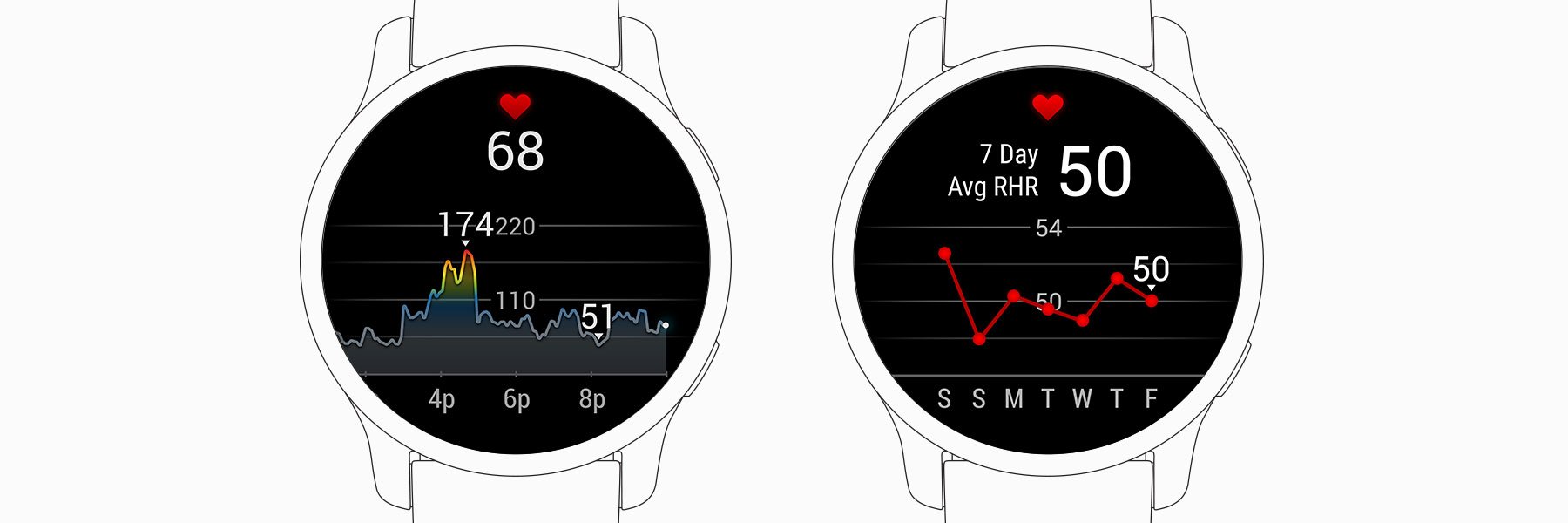
Many of the health and activity insights offered by Garmin devices are based on the analysis of heart rate data1. Features include all-day stress tracking, Body Battery™ energy monitoring, respiration rate, sleep tracking and calories burned. Your heart rate also reveals information about your cardiovascular fitness, measured as VO2 max when you walk, run or cycle (measured on a compatible device).
Over an average lifetime, the human heart beats 2.5 billion times. Each heartbeat delivers oxygen, nutrients, hormones and other vital resources throughout the body via the circulatory system2. The heart is regulated by the autonomic nervous system. This vital nervous system sends instructions to the heart that help you physiologically prepare to meet the challenges of life and your environment.
How Garmin detects your heartbeat
Devices that provide all-day health metrics based on heart rate data rely on the Garmin Elevate™ optical sensor (PPG) built into the back of the device. To detect your heart rate, the device shines green light through your skin, and the red blood cells moving through the blood vessels in your skin reflect it back.
As the heart beats, the heart muscles push blood through the circulatory system. The cycles of pulsing blood flow, or pulse, can be detected throughout your body. Your Garmin watch measures your blood flow at the wrist.
Alternatively, you can pair a compatible heart rate strap with your smartwatch to measure your heart rate. A heart rate strap measures the electrical signals of your heartbeats. However, this method is usually used only for recorded activities (running, cycling, cardio training, etc.). Wearing an elastic strap around your chest isn't very practical for 24/7 monitoring, but these straps provide reliable data during very vigorous and intense physical activities.
Heart rate (HR) and heart rate variability (HRV)
To get a better picture of heart rate data, you need to look at data from several different sources. For example, the most common way to track heart rate data is HR. It is measured in beats per minute and describes how fast your heart is beating, measured as the number of beats per minute.
Many people find that HR provides valuable information about training intensity and helps them understand the effort involved in physical activity. A high HR outside of physical activity, or an HR that is too low with a sedentary lifestyle, can both be cause for concern. Users can configure compatible Garmin watches to alert them when their heart rate goes outside a preselected range.
Another method Garmin uses to turn your heart rate data into meaningful information is HRV. Your heart doesn't beat steadily like a metronome. The length of each heartbeat varies. These changes are usually measured in milliseconds and are not large, but they still provide a huge amount of information.
This is because your heart is regulated by the autonomic nervous system. As a result, combined HR and HRV data can be analysed and interpreted to reveal changes in the balance between the sympathetic and parasympathetic branches of your nervous system. The sympathetic branch dominates the rhythm during stress, when the body senses it's time to act. The parasympathetic branch dominates during calmer moments. Analysing the activity of these branches provides information for all-day stress tracking, Body Battery energy monitoring and even certain sleep tracking data.
Resting heart rate (RHR) and maximum heart rate (HRmax)
RHR and HRmax essentially mark the lower and upper limits of your heart rate. These values are important for several reasons. Despite certain similarities, they should be considered separately.
Your RHR varies from day to day. A typical adult's RHR ranges between 60 and 100 beats per minute, and for some athletes it may be even lower. A lower RHR usually indicates a good level of cardiovascular fitness (VO2 max), sufficient sleep, low stress and the absence of stimulants such as alcohol and tobacco.
Garmin devices typically measure your RHR while you sleep, usually just before you wake up. For the most accurate RHR readings, wear your watch while sleeping too.
Your HRmax reflects how fast your heart can beat. Unlike RHR, your HRmax doesn't change from day to day. It also isn't affected by your fitness, so even excellent physical fitness won't increase your HRmax.
Everyone's physiology is unique, and that includes your heart. Some people's hearts naturally beat faster, while others beat more slowly. As a rule, the older you get, the lower your HRmax becomes. This insight is widely used to estimate an individual's HRmax using the following formula: 220 – age = HRmax bpm3. If you know your actual HRmax, you can enter it on your watch or in the Garmin Connect™ app.
Heart rate zones
Heart rate zones help you better understand the intensity of an activity and the effort involved.
Customising your heart rate zones can help increase the impact of your training over time. Avoid overexertion during recovery sessions, do endurance training and you'll see right away when it's the right moment to pick up the pace. With compatible Garmin devices, you can customise activity-specific heart rate zones for running, cycling and swimming. These can be used in addition to the zones you configure for your general activity profile.
Setting up personal heart rate zones
There are several widely used methods for customising heart rate zones. Heart rate zones are usually set as a percentage of your maximum heart rate (%HRmax). Other methods available on compatible devices include setting heart rate zones as a percentage of heart rate reserve (%HRR), with your lactate threshold heart rate (%LTHR) added as an additional factor. All of these methods use maximum heart rate as their basis.
Which method is right for you? It depends on the combination you're familiar with and what you use as a source of training advice. Creating heart rate zones lets you follow training programmes and workouts at the recommended intensity. If you customise zones based on %HRmax, or follow a programme designed around %HRR zones, you won't be giving it your all, especially in lower-intensity workouts.
How you configure your personal heart rate zones doesn't affect the advanced metrics available on compatible Garmin devices, such as VO2 max, training status, training load, load focus or aerobic and anaerobic training effect feedback. However, overestimating or underestimating your maximum heart rate can affect the reliability of these metrics.
Let's start with maximum heart rate
Your maximum heart rate is relatively stable and decreases as you get older. This is different from your resting heart rate, which reflects changes in your fitness, recovery status and nutrition choices.
If you already know your maximum heart rate, simply enter it in your device's user profile settings or in the Garmin Connect app. If you don't know your maximum heart rate, the formula 220 minus your age is used to calculate it automatically.
This formula for calculating maximum heart rate is also used by the American College of Sports Medicine, which notes that although more complex formulas exist, the alternatives have generally not proven more reliable in practice4. According to this method, a 42-year-old's estimated maximum heart rate is 178 beats per minute (220 - 42 = 178). Your maximum heart rate is likely to be within +/-12 beats per minute of this estimated value.
Estimating your maximum heart rate is a good start. Knowing your maximum heart rate and creating heart rate zones based on it will help you use the full potential of this training tool.
There are a number of test protocols for determining your maximum heart rate. You can reach your maximum heart rate during a very vigorous workout involving sustained maximum-intensity effort, or during 5 km/10 km races.
Tests that help you reach your maximum heart rate are extremely demanding. If you're unsure of your abilities or doubt your ability to perform strenuous physical activity, consult a healthcare professional before taking a maximum heart rate test.
Automatic maximum heart rate detection
Compatible Garmin devices automatically update your maximum heart rate using your performance data. If a heart rate higher than your current maximum is detected and it passes a reliability threshold, your maximum heart rate is updated on your device or in the Garmin Connect app.
Physiological Metrics –> Auto Detection Menu Physiological Metrics –> Auto Detection on the device.)
Using heart rate zones
Heart rate zones give an overview of the intensity of your activity. To expect fitness or training performance gains, consider training intensity, duration, recovery time and repetitions. This applies especially to specific workouts and gives a broader overview of your training plan.
Heart rate zones remove the need to calculate the intensity element of this formula.
By focusing on different workouts in different zones, you can create a comprehensive training plan that helps you become stronger, more enduring, more powerful and so on. In general, lower zones are suitable for warming up and recovery, while higher zones improve your fitness. Our default heart rate zones are described below. The zones may not match these descriptions if you customise them for different training goals.
Zone 1 (warm-up): 50–60% of maximum heart rate
- Training in this zone is relaxed, the pace is easy and breathing is rhythmic. It improves your heart's ability to pump blood and your muscles' ability to use oxygen. A typical zone 1 workout is a brisk walk.
Zone 2 (easy): 60–70% of maximum heart rate
- Training in this zone takes place at an easy pace where your breathing is deeper but you can still hold a conversation. Suitable for recovery and base cardiovascular training. A typical zone 2 workout is a light jog.
Zone 3 (aerobic): 70–80% of maximum heart rate
- Training in this zone takes place at a moderate pace and holding a conversation becomes difficult. It trains the lungs and heart and improves endurance. A typical zone 3 workout is an easy run.
Zone 4 (threshold): 80–90% of maximum heart rate
- Training in this zone, you move fast at an almost uncomfortable pace and your breathing is fast and forceful. It improves anaerobic capacity and lactate threshold. A fast run falls into zone 4.
Zone 5 (maximum): 90–100% of maximum heart rate
When you reach zone 5, you're probably sprinting at a pace that's hard to sustain for long. Breathing is laboured. Training in zone 5 builds power and develops both anaerobic and muscular endurance.

1See Garmin.com/ataccuracy.
2Harvard Health Publishing, “Heart Health,” available online. Available at: health.harvard.edu/topics/heart-health.
3Centers for Disease Control and Prevention (CDC), “Target Heart Rate and Estimated Maximum Heart Rate,” 2020. Available online. Available at: cdc.gov/physicalactivity/basics/measuring/heartrate.htm.
4American College of Sports Medicine, “ACSM’s Guidelines for Exercise Testing and Prescription,” tenth edition, Philadelphia, Wolters Kluwer, 2018.
