



We introduce every product Sonos currently makes, including the brand-new Sub Mini.

Sonos essentially invented the multi-room home audio category, starting out as a software company in the early 2000s before integrating its Wi-Fi-enabled software into speakers a few years later. Its first amplifier (which became the Connect:Amp ) and the speakers that followed were excellent, but the true beauty of Sonos lies in its ecosystem of audio products that make listening to music at home genuinely easy.
The magic of Sonos is the ability to link together any number of Sonos speakers, provided they are all connected to the same Wi-Fi network, and have them all play in sync throughout the house. Alternatively, they can all play different songs if you wish. And it is all controlled through a smartphone app.
Imitation is the sincerest form of flattery, so over the years many companies have tried to beat Sonos at its own game. New wireless protocols have been introduced, such as DTS Play-Fi, Google's Chromecast, Bluesound and Apple AirPlay, which mimic what Sonos does. Some big companies, notably Google and Bose, also have their own multi-room speaker ranges.
Under this pressure, Sonos has introduced smaller and more affordable speakers, such as the Sonos ONE, giving more people access to Sonos. Under new leadership – after ten years in the role, CEO John MacFarlane stepped down in 2017 and handed the reins to Patrick Spence – the company now makes smart speakers that work with Amazon Alexa and Google Assistant.
In 2023, multi-room audio is still Sonos's bread and butter, but the scope of its ecosystem has expanded greatly. Sonos soundbars (as well as speakers) have helped it weave into home theatre systems, so you can now integrate your TV into a larger Sonos audio system. Its connected receivers and amplifiers have helped Sonos become a solution for people who already have part of a system, such as an old receiver or passive speakers – which most people do – and who don't want to start from scratch. And now Sonos even has several portable speakers.
Bottom line: Sonos is still the best wireless home audio ecosystem, and it is worth it in every sense.
Sonos One
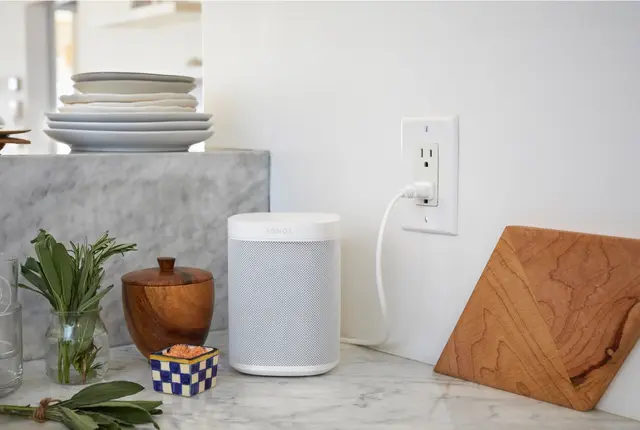
The backbone of the Sonos range, the One is the smallest and most affordable traditional speaker Sonos offers. A smart speaker that can be integrated with either Amazon Alexa or Google Assistant, it has an array of microphones and is integrated with the Amazon Alexa voice assistant. The other big upgrade is that the One supports AirPlay 2.
Sonos updated its One speaker in early 2019; when shopping you will see both Sonos One "Gen 2" and Sonos One "Gen 1" speakers. The difference is that Gen 2 speakers have Bluetooth Low Energy (BLE). Sonos made the new models future-ready, but they sound and work the same as their predecessors. Sonos has stopped making the "Gen 1" models, and if you're looking for one, be aware they are almost impossible to find.
Drivers: one mid-woofer, one tweeter
Amplifier : two Class-D digital amplifiers
Connectivity: Wi-Fi, Ethernet, Amazon Alexa, AirPlay 2
Sonos One SL
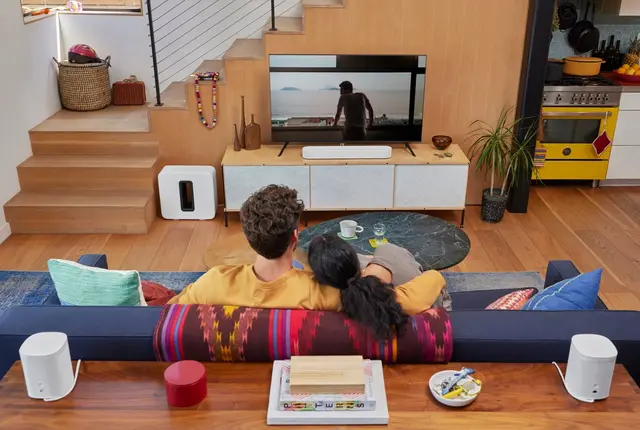
The One SL is the Sonos One speaker but without a built-in microphone, which means it can't work as a smart speaker. The One SL is 20 euros cheaper than the One and is available in white or black.
Drivers: one mid-woofer, one tweeter
Amplifier : two Class-D digital amplifiers
Connectivity: Wi-Fi, AirPlay 2, Ethernet
Sonos Five
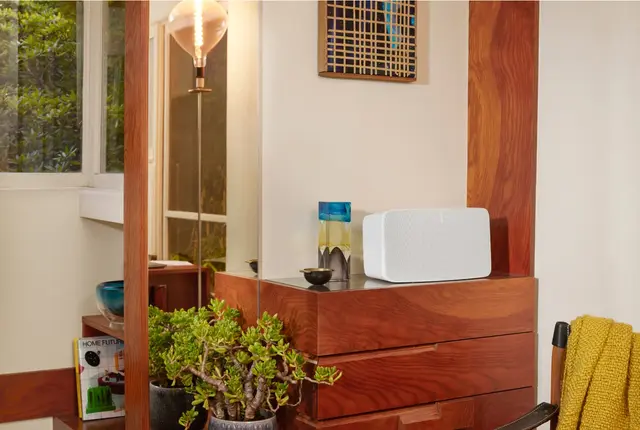
Released in 2020, the Five is the most up-to-date large speaker in the Sonos range. Like the One, but louder and better, the Five has a line-in so you can quickly connect it to a turntable . And you can still pair two Fives and stand them vertically, which then assigns them as right and left channels for excellent stereo sound. The Sonos Five comes in matte white and matte black, but this time the white Five also has a white grille – so it's all white.
The new Sonos Five speakers cost 599 euros, exactly the same as the Play:5 it replaces.
Drivers: three mid-woofers, three tweeters
Amplifier : six Class-D digital amplifiers
Connectivity: Wi-Fi, Ethernet, 3.5 mm audio input, AirPlay 2
Sonos Roam
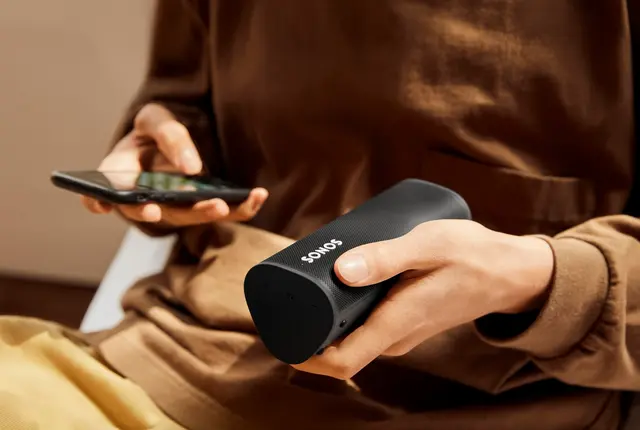
The Sonos Roam is the company's smallest and most portable speaker. It has both Bluetooth and Wi-Fi connectivity, so you can use it as a portable Bluetooth speaker or integrate it into a larger Sonos multi-room system. It has automatic Trueplay when streaming over both Bluetooth and Wi-Fi. Sonos combined the Wi-Fi and Bluetooth antennas inside the Roam, which gives it some capabilities unusual in the Sonos line. For example, it lets you connect a Bluetooth turntable to your Sonos system . In addition, the Roam has an IP67 rating, making it a little more durable and waterproof than the Move .
Drivers: one tweeter, one mid-woofer
Amplifier : two Class-H digital amplifiers
Connectivity: Wi-Fi, Bluetooth, AirPlay 2
Sonos Roam SL
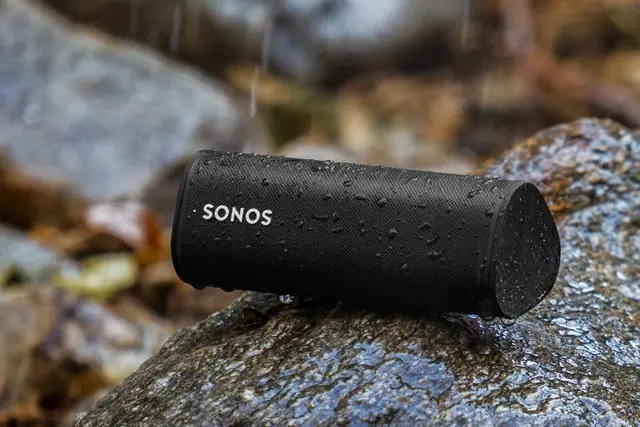
Released in March 2022, the Roam SL is a microphone-free version of the Roam (above), and it comes with some compromises. It can't hear your Alexa or Google Assistant voice commands. It doesn't support automatic Trueplay, so it won't optimise its sound for the room it's in. It also doesn't support Sound Swap – which lets you quickly and easily pass music from a Roam speaker (but not a Roam SL) to the nearest Sonos speaker without pausing the music. Other than that, the Roam SL is exactly the same as the Roam. And it's 20 euros cheaper.
Drivers: one tweeter, one mid-woofer
Amplifier : two Class-H digital amplifiers
Connectivity: Wi-Fi, Bluetooth, AirPlay 2
Sonos Move

The Move is Sonos's first portable speaker, with both built-in Wi-Fi and Bluetooth. When connected to Wi-Fi, it works almost exactly like the Sonos One: it can play in a Sonos multi-room system and respond to either Alexa or Google Assistant voice commands. (One difference is that the Move can't be assigned as a rear-channel speaker in a home theatre system.) A button on the back switches the Sonos Move to portable Bluetooth mode, so you can take the speaker – which is drop-resistant and IP56-rated – anywhere outside the home. Unlike all other Sonos speakers, the Move has automatic Trueplay, meaning it automatically optimises its sound for the room it's in.
Drivers: one downward-firing tweeter, one mid-woofer
Amplifier : two Class-D digital amplifiers
Connectivity: Wi-Fi, Bluetooth, Ethernet, AirPlay 2
Sonos Ray

Released in 2022, the Sonos Ray is the company's newest, smallest and most affordable soundbar – and the only one that doesn't support Dolby Atmos. Unlike the Arc and Beam (Gen 2), the Ray has no built-in microphones and can't act as a smart speaker ("Hey Alexa" or "Hey Google" voice commands are not supported). It also connects to your TV via an optical cable rather than HDMI, which makes it better suited to smaller and older TVs. The good news is that it still sounds great for its size and can be integrated into a larger Sonos multi-room or home theatre system.
Drivers: two tweeters, two high-efficiency midrange drivers
Amplifier : four Class-D digital amplifiers
Connectivity: Wi-Fi, Ethernet, optical, AirPlay 2
Sonos Beam
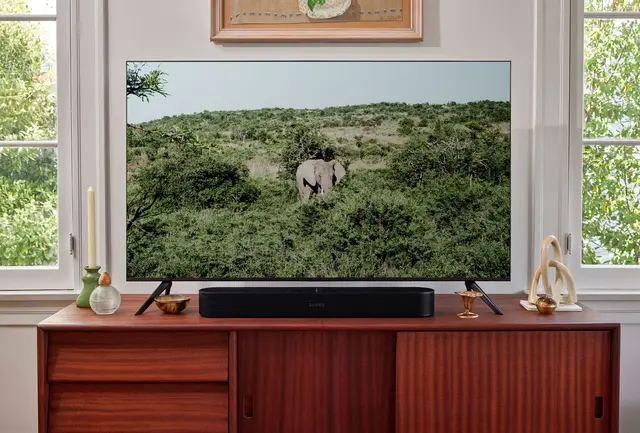
Sonos announced the second generation of its compact soundbar in September 2021, and it's a big upgrade over the original Beam because it supports Dolby Atmos. It lacks upward-firing drivers (like the Arc), but it can create virtual height channels and deliver a more immersive experience thanks to an improved processor (40 percent faster than the original Beam's CPU). Sonos gave the new Beam an eARC connection (instead of ARC) and a new polycarbonate grille (instead of fabric), but otherwise the new Beam looks essentially identical and has the same capabilities as its predecessor. Sonos also made it 50 euros more expensive.
Drivers: one tweeter, four full-range woofers, three passive radiators
Amplifier : five Class-D digital amplifiers
Connectivity: Wi-Fi, Ethernet, optical, HDMI eARC, AirPlay 2, Amazon Alexa and Google Assistant
Sonos Arc
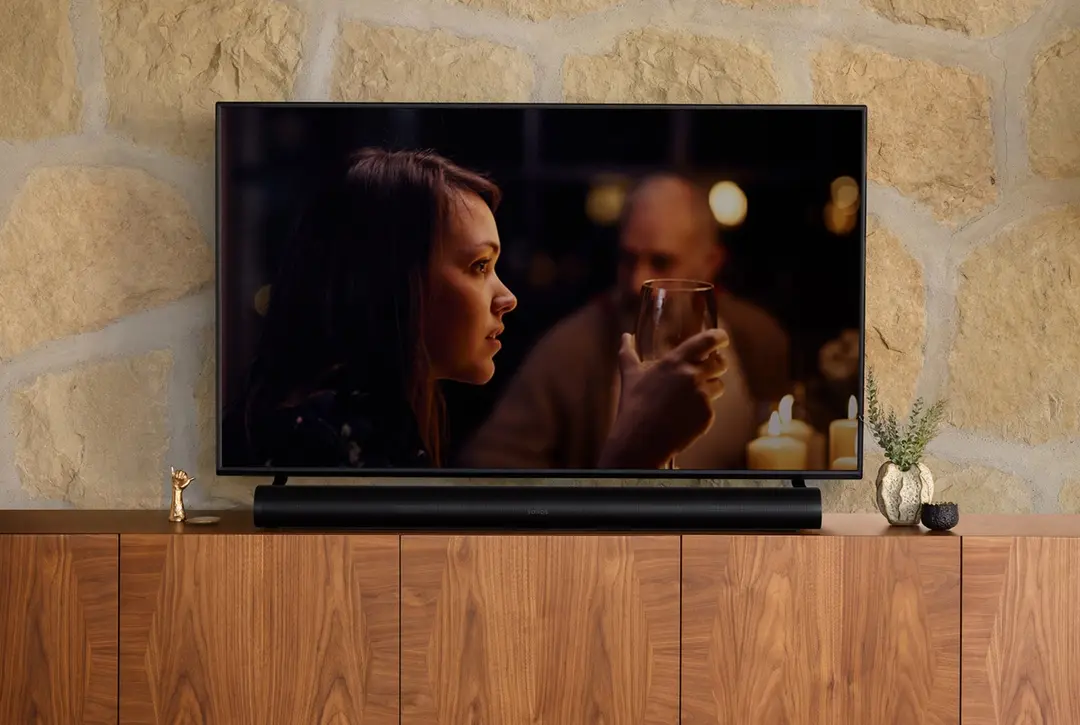
Released in mid-2020, the Arc is Sonos's premium Dolby Atmos soundbar, replacing the 8-year-old Playbar and 3-year-old Playbase (both discontinued by Sonos). It has a total of 11 high-performance drivers, two of which fire upwards to enable height channels for Dolby Atmos. It also supports Sonos's Trueplay tuning technology and can automatically adjust its sound to your home theatre setup and the audio being played, whether stereo, Dolby Digital 5.1 or Dolby Atmos. The Arc has a 270-degree rounded plastic grille and comes in matte black or matte white. It can sit in front of a TV on a stand or be wall-mounted. Sonos has a dedicated wall mount (79 euros) that uses magnetic sensors to detect whether it's mounted or not. It has a single HDMI eARC or ARC connection, so setup is super easy. It's also a smart speaker, like the Beam, so you can control it with your voice using Amazon Alexa or Google Assistant. It also supports AirPlay 2.
Drivers: three silk-dome tweeters, eight elliptical woofers
Amplifier : 11 Class-D digital amplifiers
Connectivity: Wi-Fi, Ethernet, optical, HDMI eARC, AirPlay 2, Amazon Alexa and Google Assistant
Sonos PORT
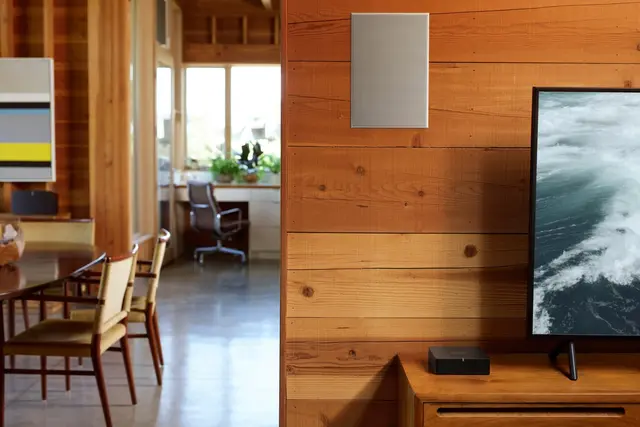
The Port is one of two Sonos gadgets designed to connect non-Sonos equipment to a Sonos system . It works by connecting to your existing stereo or receiver and turning your non-Sonos audio system into one that works exactly like other Sonos products, but the Port adds some big things. First, it supports AirPlay 2. Second, it has a 12-volt trigger that lets the Port automatically switch on a connected receiver when it gets a signal via the Sonos app. And third, it's matte black and looks like it blends in with your other stereo components. The Sonos Port costs 449 euros and was released in early 2020.
Drivers: -
Amplifier: -
Connectivity: Wi-Fi, AirPlay 2, Ethernet (x2), Line-in (RCA), Line-out (RCA), digital out
Sonos Sub
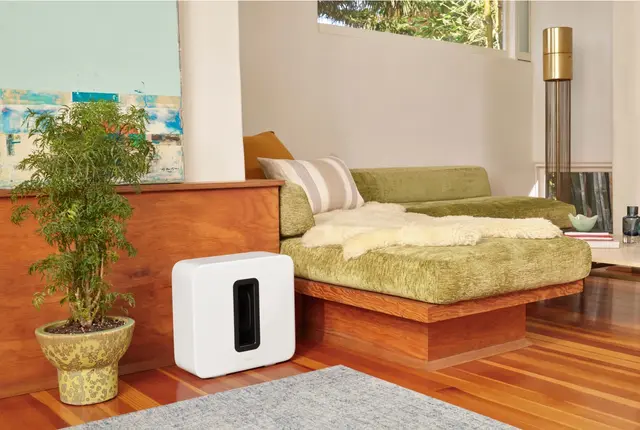
The Sub is the company's largest wireless subwoofer. The Sub connects wirelessly to any Sonos speaker, soundbar or Sonos amplifier and can be part of a multi-room or home theatre system, and like other Sonos speakers, the Sub won't connect to non-Sonos speakers unless you have Sonos's own amplifier (see below). The real beauty of the Sonos Sub is that it's very easy to set up and improves any Sonos system; you can also fine-tune the bass level with the Sonos app. If there are downsides, it's that the Sub is quite expensive and large.
Drivers: two woofers
Amplifier : two Class-D digital amplifiers
Connectivity: Wi-Fi, Ethernet
Sonos Sub Mini
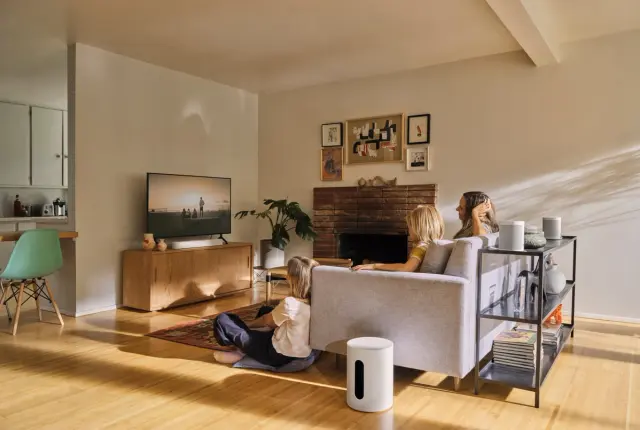
The Sub Mini is essentially a smaller and more affordable version of the current Sub . It weighs 6.35kg compared to the Sub's 13.5kg, but works the same way: with two woofers. There are a few other differences with the Sub Mini. It has a cylindrical shape and must stand upright (you can't lay it on its side like the Sub). It has a sealed rather than ported design. And you can pair only one Sub Mini with a soundbar, whereas with the Arc you can use two Sub Minis. Sonos recommends pairing the Sub Mini with the Ray or Beam (Gen 2) soundbars or a pair of Ones.
Drivers: two woofers
Amplifier : two Class-D digital amplifiers
Connectivity: Wi-Fi, Ethernet
Sonos AMP
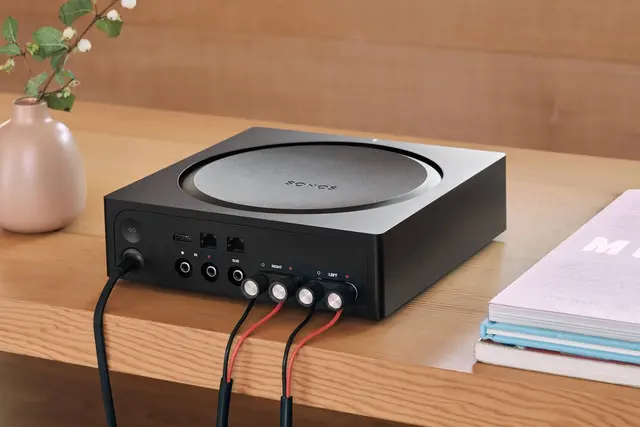
The Amp works like the Sonos Port, except that it's also an amplifier with an HDMI ARC port. It lets you connect your passive speakers to a Sonos system or to a TV, like the Sonos Beam. This means that if you have other Sonos speakers, you can play your TV's audio through them without using a Sonos soundbar.
Amplifier : Class-D digital amplifier (125 watts per channel at 8 ohms)
Connectivity: Wi-Fi, Ethernet, analogue (RCA), digital (optical and coaxial)
Sonos Boost
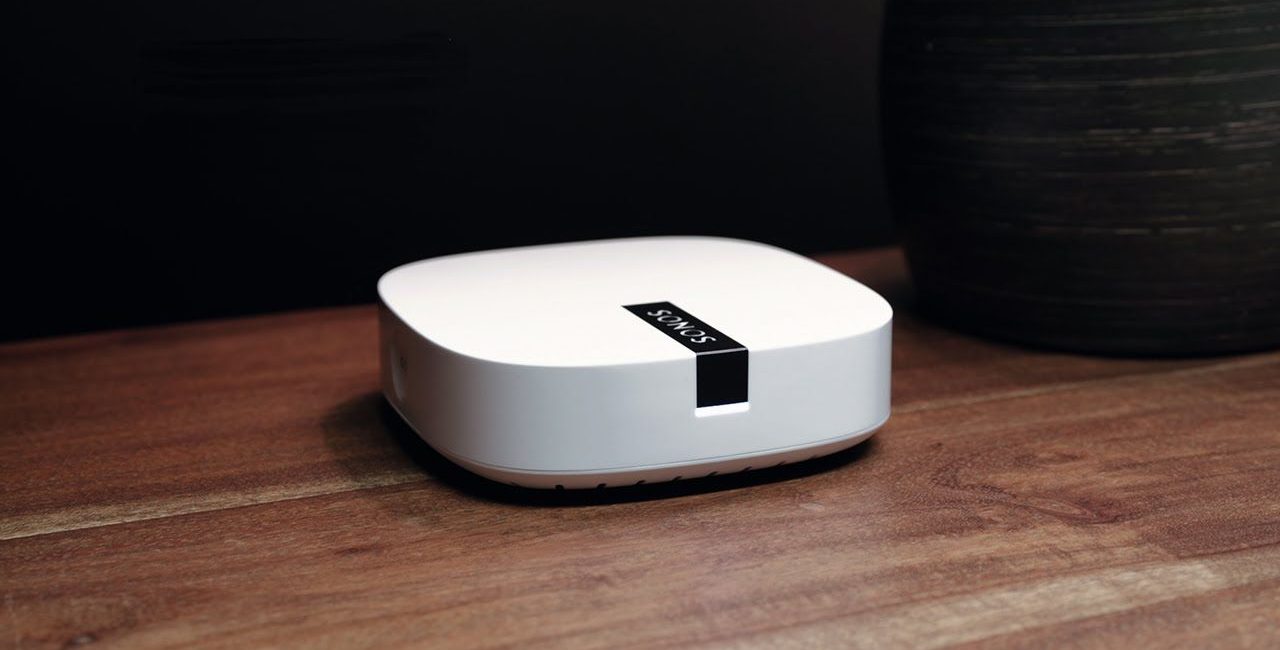
The Boost may be the most misunderstood product Sonos sells. (And it may be the most important.) It connects directly to your home router and creates its own Wi-Fi network, like Google Wi-Fi, but its new wireless network works only with Sonos speakers – and it prioritises sound quality above everything else. If you have a large home with poor Wi-Fi coverage, or simply want to make sure your Sonos plays at the highest possible resolution, this 119-euro gadget is worth investing in.
Connectivity: Ethernet
Sonos Architectural by Sonance

People have long used Sonos wireless amplifiers to stream audio to their old speakers. More specifically, they used them to stream music to speakers built into their homes, either in the ceiling or the wall. Now, as of early 2019, there are non-Sonos speakers designed specifically to work with the amplifier. Sonos announced a partnership with Sonance , a reputable audio company known for its in-wall and in-ceiling speakers, and now you can fit your home with "invisible" speakers that work just like Sonos. Sonos In -Wall by Sonance (699 euros per pair) , Sonos In-Ceiling by Sonance (699 euros per pair) and Sonos Outdoor by Sonance (899 euros per pair) are the first third-party speakers compatible with Sonos's TruePlay tuning technology. The catch is that these speakers require the Sonos AMP amplifier to work, which must be purchased separately.
Amplifier : requires the Sonos Amp amplifier
Connectivity: Wi-Fi
How to connect your streaming services to Sonos?
As an audio ecosystem, Sonos plays well with many different streaming services. It works with Spotify, Amazon Music, Apple Music, YouTube Music, Pandora and Google Play Music, to name just a few. ( Here you can see the full list of streaming services .) The beauty is that you don't have to play music through the Sonos app. You can simply open the streaming app you normally use, such as Spotify, and tell it to play music through your Sonos system instead of your smartphone.
If you already subscribe to a streaming service and want to stream it to your Sonos speaker, it's easy, but you need to add that music service account to Sonos. To do this, simply
- Open the Sonos app
- Select "More"
- Select "Add music services"
- Select the service you want to add (Spotify)
- Select "Add account"
Then follow the remaining instructions to finish adding your account. You can do this from your smartphone or from a Mac or PC.
How to tune your Sonos speakers?
If you talk to people who know music, such as sound engineers or audiophiles, they'll tell you that a big part of listening to music is the room you're in. Many rooms aren't designed for listening to music – which is why a concert always sounds better in an auditorium than in an open-air stadium – and Sonos's way of fighting this problem is Trueplay , a technology launched in 2015 that tunes your Sonos speaker to sound its best for the room it's in.
After plugging in your Sonos speaker and going through the standard Sonos steps, such as naming the speaker and connecting it to your home Wi-Fi network, the Sonos app will ask you to tune the speaker with Trueplay. To do this, you need to turn your smartphone upside down and wave it around the room. You'll look crazy and your Sonos speaker will make strange sounds, but your smartphone is actually listening and measuring how sound reflects around the room. Trueplay then tunes the speaker, which takes only a few minutes (per speaker), so it sounds closer to how the artists originally intended.
Of course, not everyone wants technology tuning their speakers for them. So when you get a Sonos speaker, you don't have to tune it with Trueplay. And if you do but later regret it, you can turn Trueplay off at any time.
- Go to the Sonos app
- Select "Room settings"
- Select the speaker
- Turn Trueplay off
